Most AI tools wait for a question and return an answer. Meta’s newly announced Muse is designed to go further: it can make a plan, work in a browser, connect to selected services, and continue a task after you close the app.
That shift—from answering to acting—is the most important thing to understand about Muse.
Meta describes Muse as “the world’s first personal AI agent built for everyone.” That is Meta’s positioning, not an independently established category record. The more useful question is what the product can do for everyday people, and whether its controls are strong enough for the access it may receive.
From chatbot to working agent
Muse is powered by Meta’s Muse Spark model and runs in its own cloud-based virtual machine with a browser. According to Meta, a person can give it a goal, collaborate on a plan, and let it advance the work in the background.
Early examples include:
- planning travel and filling out forms;
- organizing calendar and email information;
- researching a purchase and preparing checkout;
- turning a saved recipe into a grocery list;
- building documents, web pages, dashboards, and study guides;
- tracking a longer-term goal and reporting back when something changes.
Muse is rolling out in the United States on iOS, Android, and the web at muse.ai. Meta says everyday use is free, with subscription options for people who need more. It has not announced the “100 million free tokens per week” figure included in some early summaries, so that claim should not be repeated.
Why “for everyone” matters
AI agents have often felt like tools for developers, large companies, or people willing to assemble several services. Meta is trying to make the agent experience feel as familiar as messaging: name your Muse, choose an avatar, explain what you want, and continue the conversation over time.
That could make capable AI more approachable for families, older adults, independent professionals, educators, nonprofits, and small businesses. A useful agent does not require its user to become a programmer. It should help turn a real-life goal into visible next steps while keeping the person in charge.
Accessibility, however, is about more than a free tier. People also need clear onboarding, understandable permissions, reliable results, accessible design, and a way to recover when the agent makes a mistake.
Security is not a slogan—it is a system of controls
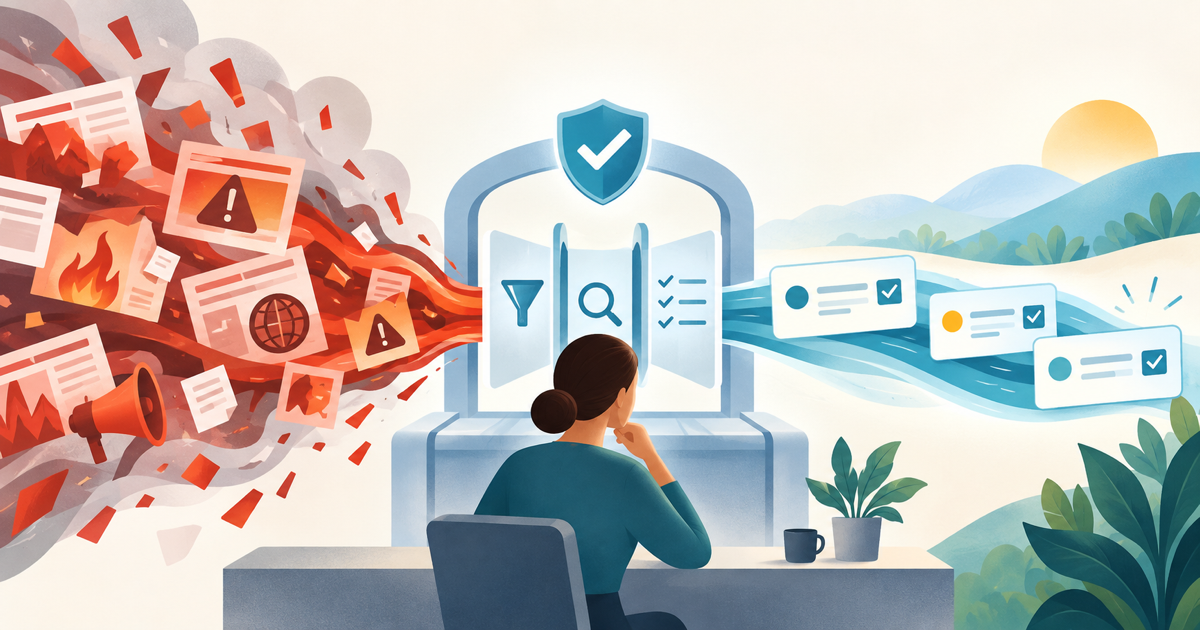
Muse needs access to personal information to be useful, and that creates real risk. Meta’s launch architecture includes several notable safeguards:
- A dedicated Muse Secure VM: each Muse operates in an isolated cloud computer that holds its workspace and connected-service data.
- A separate Sentinel: Muse proposes actions, but a separate system governs connections and network activity and can require the person’s approval.
- Human approval for sensitive steps: actions such as sending an email or making a purchase can stop for a structured approval rather than relying on a casual chat response.
- Credential separation: Meta says the main agent does not see passwords, payment methods, or authentication tokens stored for connected services.
- Scoped access: people choose which services to connect and, where supported, can separate read permission from write permission.
- An activity trail: people can inspect what Muse has done and what it plans to do.
- Training choice: people can opt out of having their Muse interactions used to train Meta’s AI models.
These are meaningful design choices, but they do not make the system risk-free. Meta’s own security team says Muse can make mistakes and that prompt injection remains an open industry problem.
There is also an important privacy distinction. At launch, Muse Secure VM isolates a person’s data, but Meta says its personnel may access data when needed to support, secure, or operate the service. A separate Muse Confidential VM, intended to cryptographically prevent Meta from accessing the VM, is planned for later in 2026. It should not be described as a feature everyone has today.
Meta also says Muse conversations and VM data are not shared with its advertising systems. Activity performed on external websites may still influence advertising indirectly, just as a person’s own visit to those sites can.
A practical way to try Muse
The safest first use is not “run my entire life.” Start with one bounded, reversible task.
For example:
Help me plan a three-day family trip within a budget of $1,200. Research options and build an itinerary, but do not book, send, purchase, or share anything. Show your sources, assumptions, total estimated cost, and every action you would need me to approve.
Then evaluate the result:
- Did Muse understand the goal and constraints?
- Are its sources current and traceable?
- Did it distinguish estimates from confirmed prices?
- Did it stay within the requested permissions?
- Is the activity log understandable?
- Can you correct or stop the work easily?
Only expand access after the agent performs well on lower-risk tasks. Connect the minimum data required, prefer read-only access first, and keep approval enabled for messages, purchases, bookings, account changes, and anything difficult to reverse.
What to watch next
Muse’s launch is an important step toward AI that does more than generate text. The biggest questions now are practical:
- How reliably does it complete multi-step work outside Meta’s demonstrations?
- How clearly can ordinary users understand and manage permissions?
- How often do safeguards catch unsafe or manipulated instructions?
- How useful is the free experience, and where do subscription limits begin?
- When will Confidential VM be broadly available, and what will independent audits show?
- How well does Muse serve people with disabilities, limited technical experience, or older devices?
Muse may help make capable personal agents available to a much wider audience. But “for everyone” will be earned through everyday usefulness, affordability, accessibility, and trust—not through a launch slogan alone.
The best way to begin is simple: choose one real task, limit the permissions, watch what the agent does, and keep the final decision human.